This product is not exportable outside the United States.


By adding this item to cart, you agree and acknowledge the Export Policy and confirm that you are a person in the United States with no intentions to illegally export the device.

close-icon

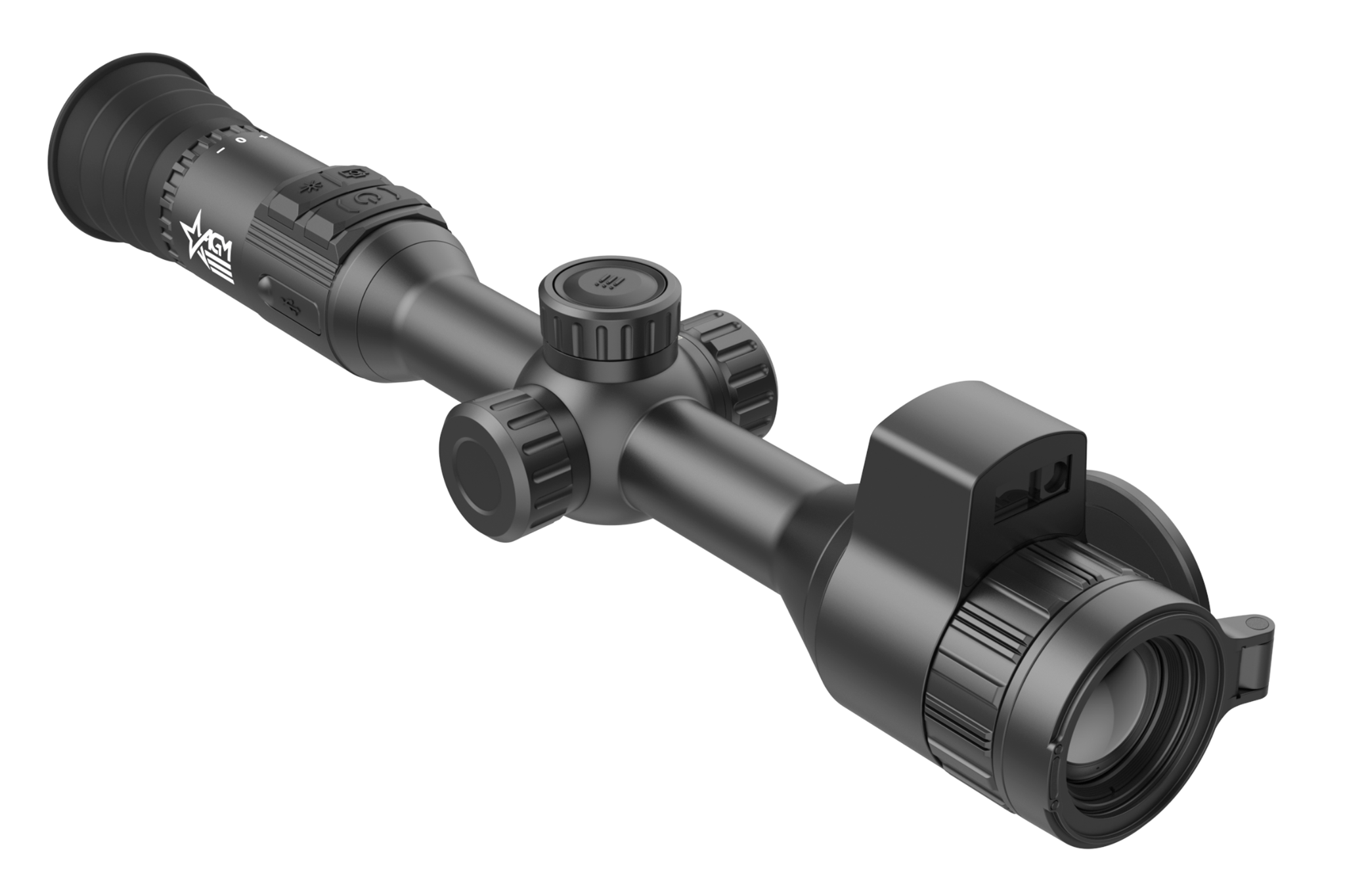
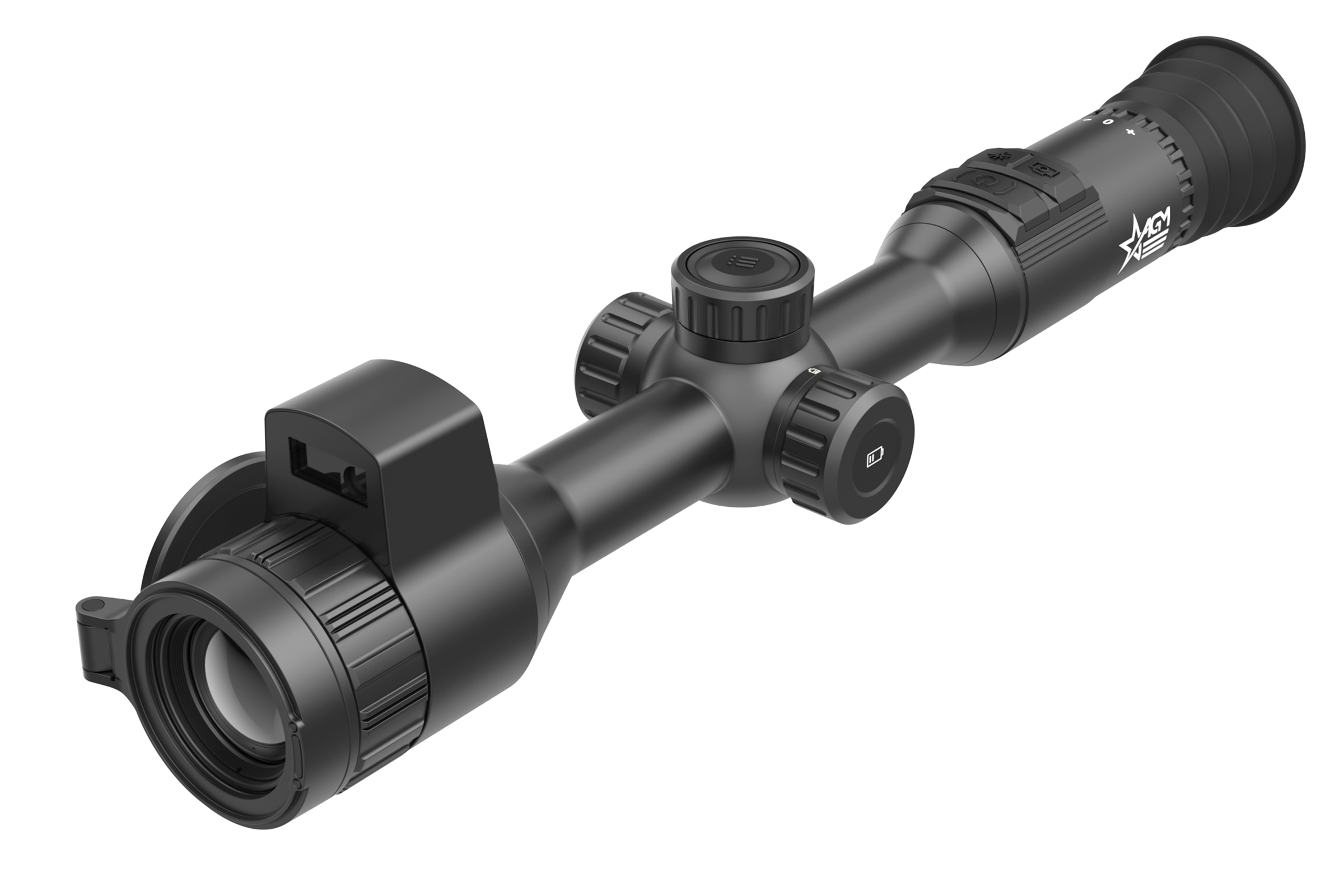
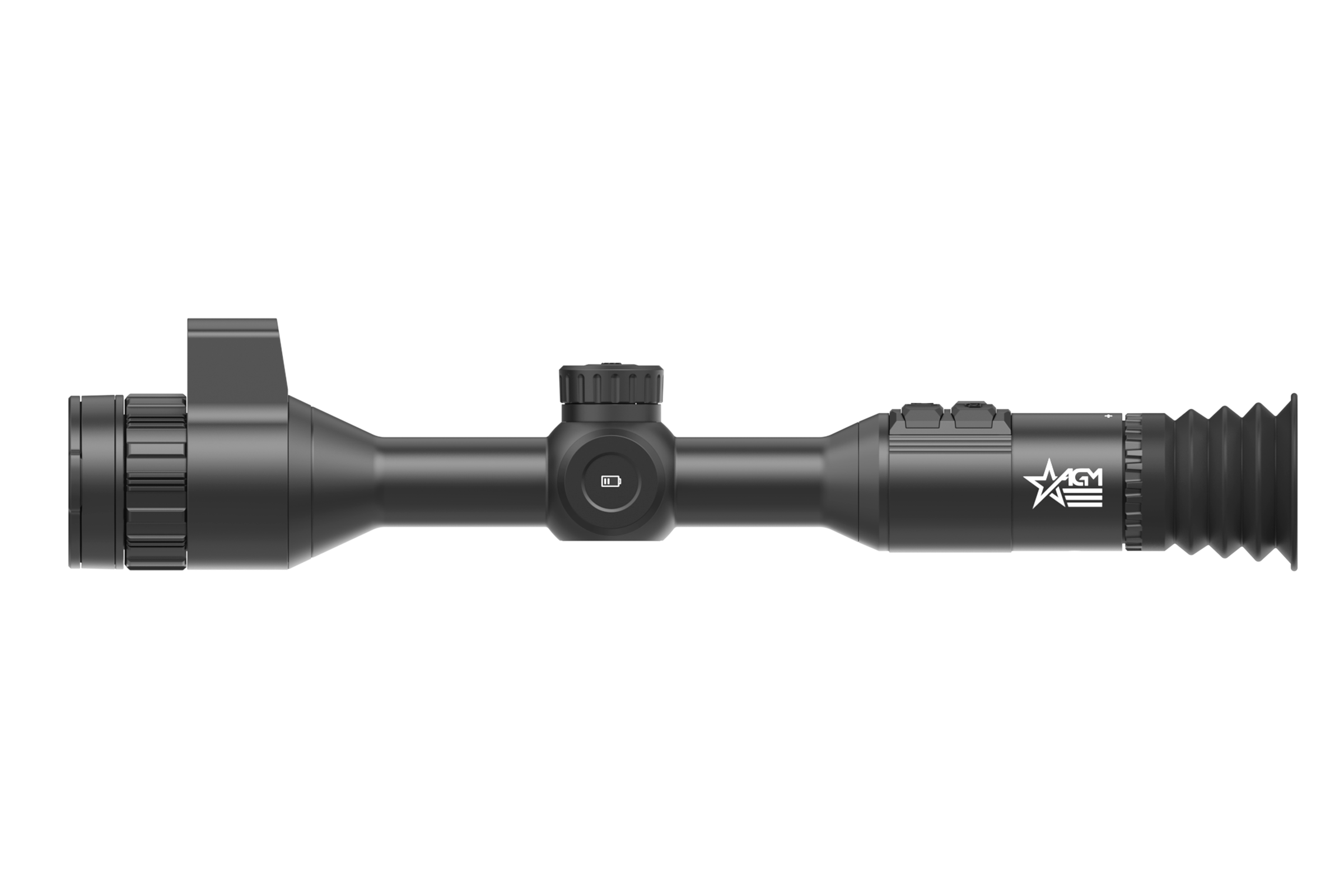
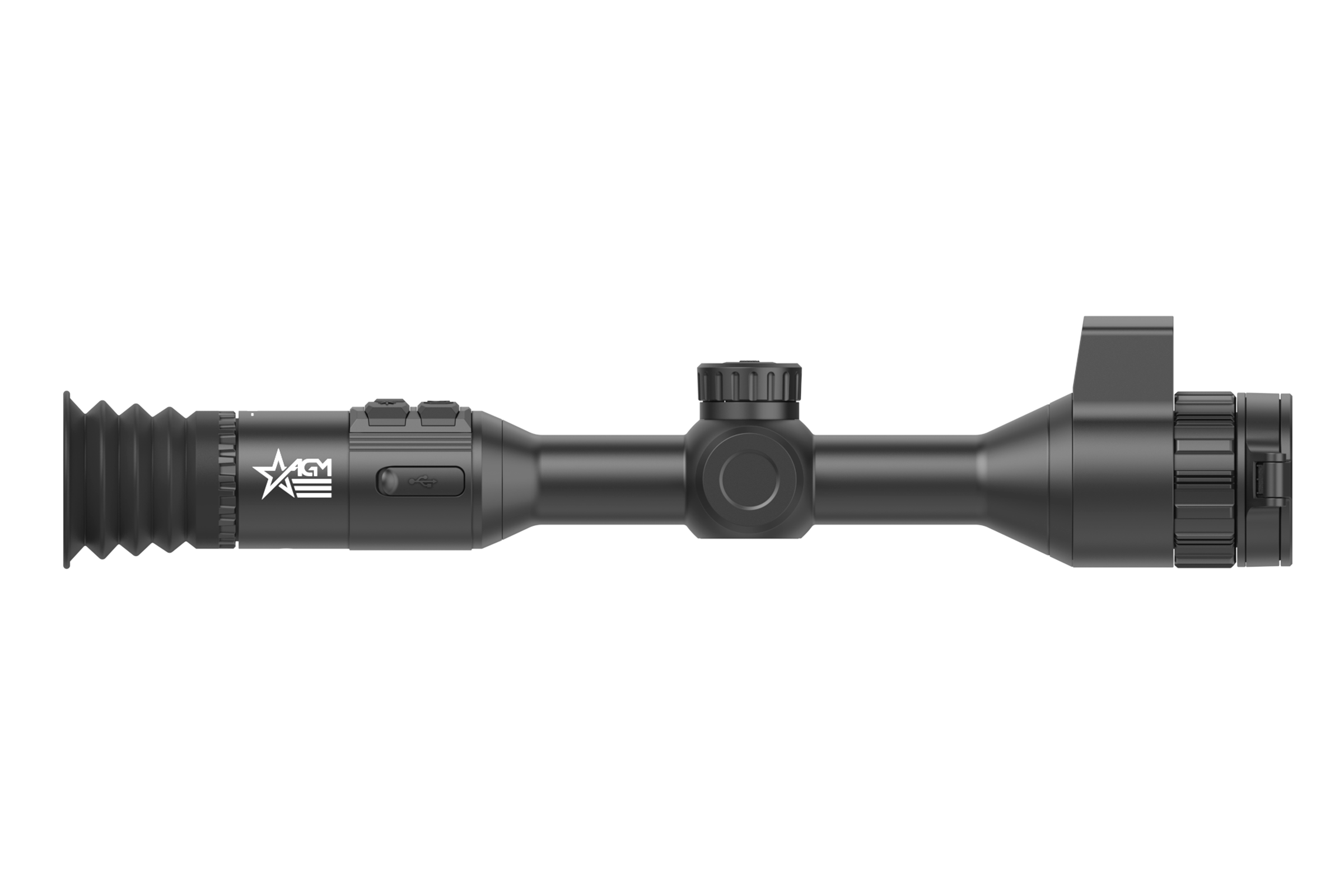
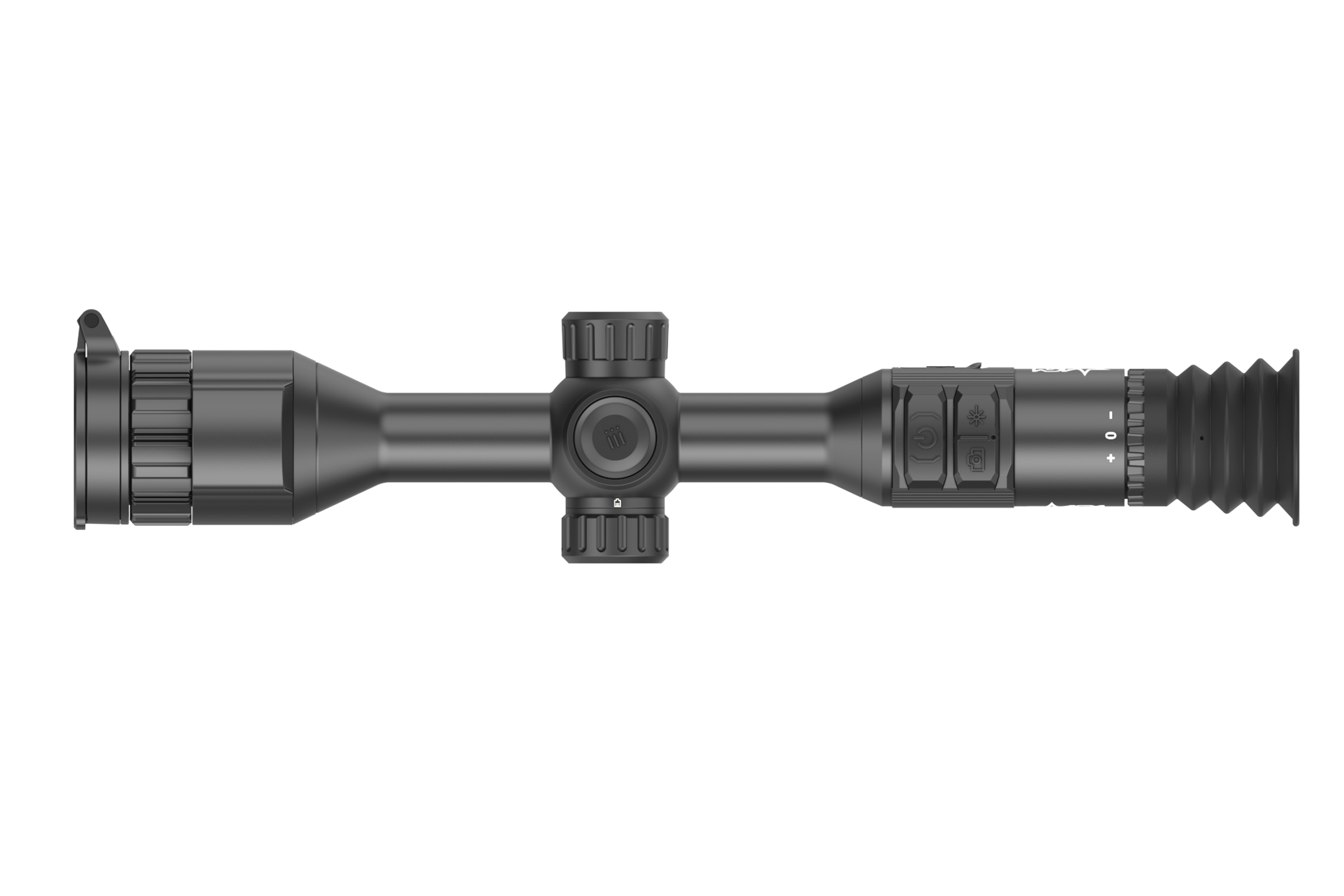
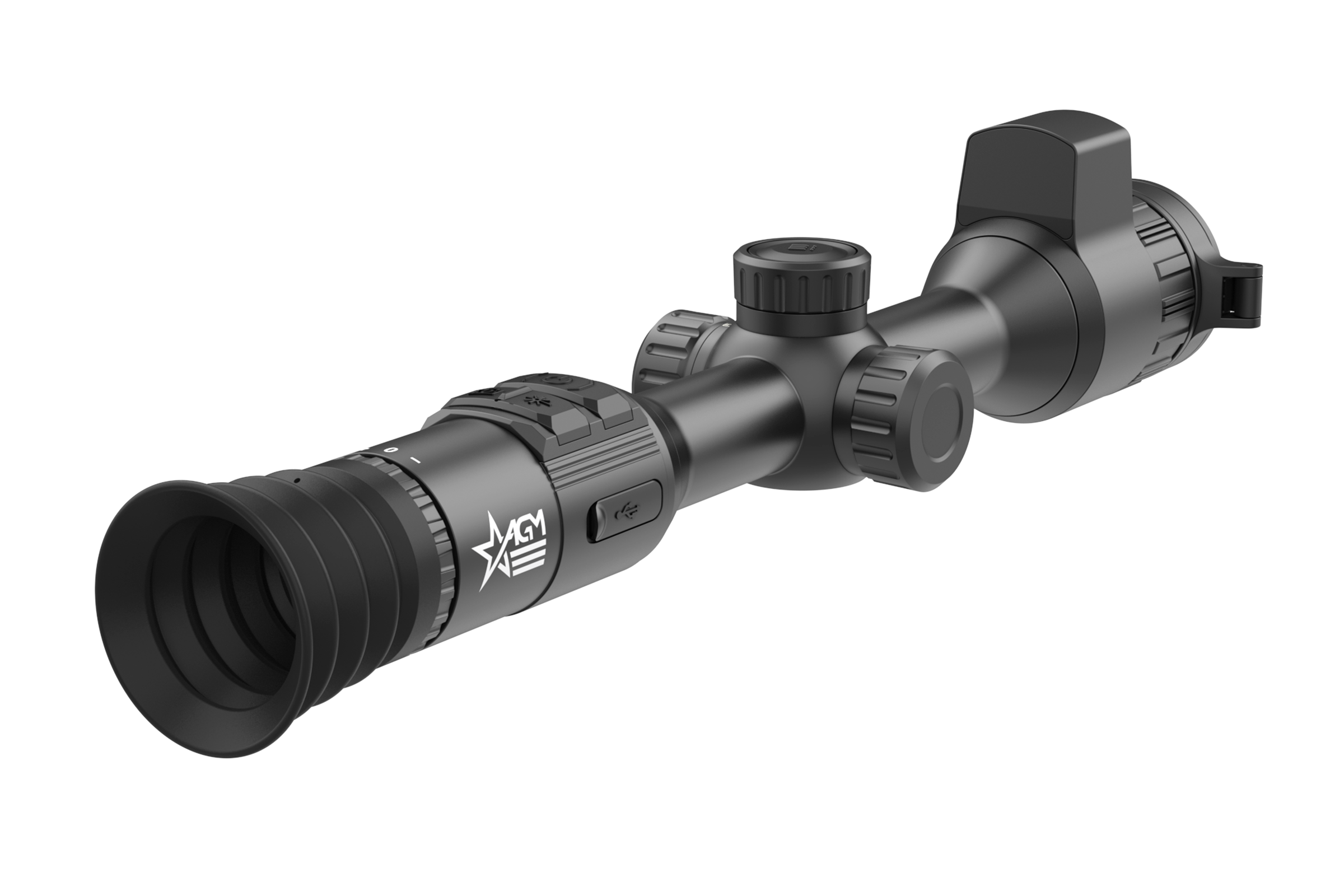
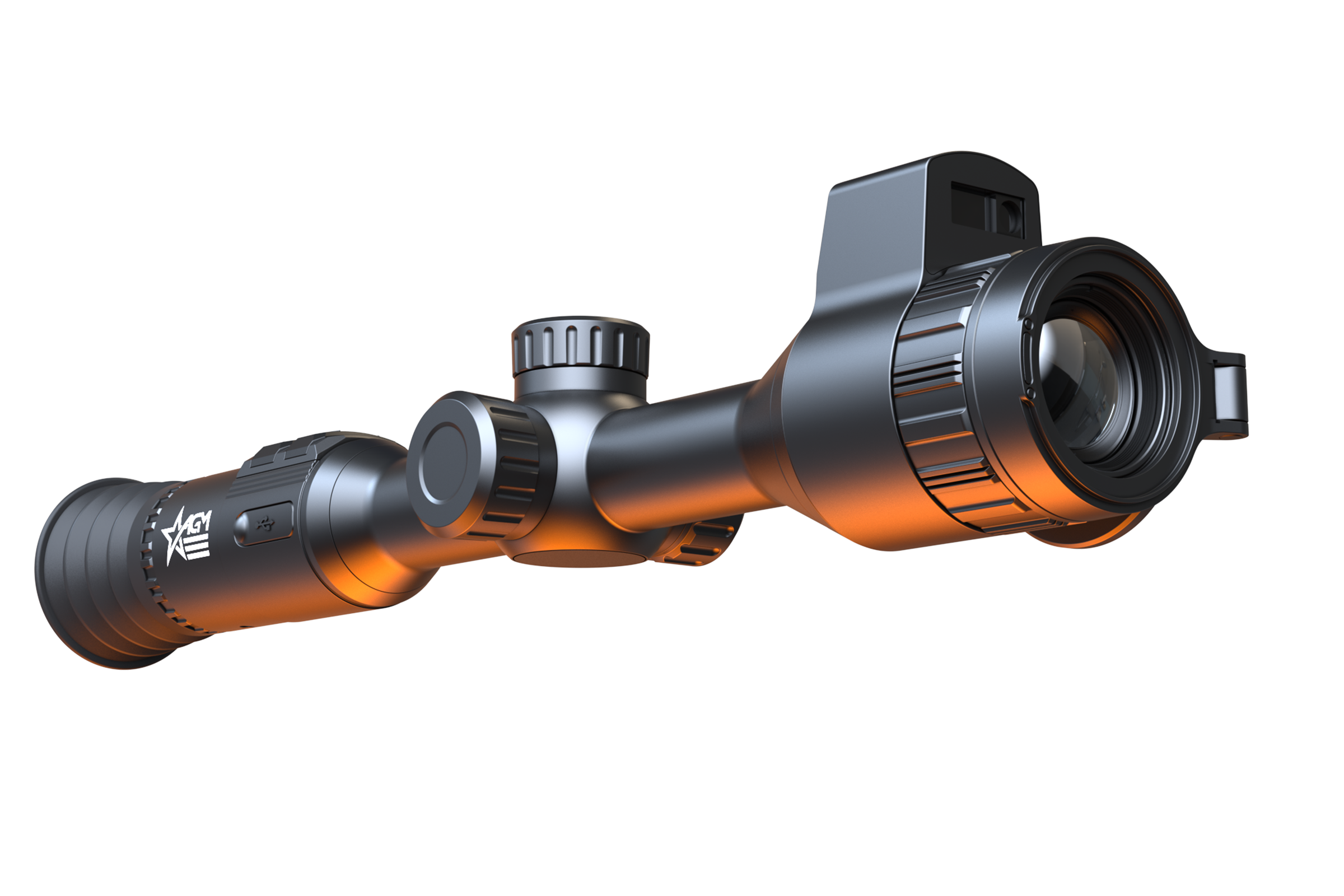
AGM Adder V2 LRF 35-640

PART #ADDE35-640-2

0 reviews | Write a review


Description And features


The AGM Adder V2 LRF is the next step in the evolutionary process in the AGM thermal riflescope lineup. Based off the ever-popular original 30mm AGM thermal scopes, the Adders, the V2’s will improve upon its predecessor in a number of ways, many of which come directly from our loyal customers.
The New AdderV2 LRF 35-640’s primary goal was to assimilate a feature which many electro-optics veterans end up looking at as a necessity, which is a fully integrated 1000yd laser rangefinder. And although the majority of units in the AdderV2 family will come with an integrated LRF and ballistic calculator, the AdderV2 35-640 will come equipped with the lowest base magnification and widest field of view of the entire bunch. Coming in at 2.5X, the 35-640 sits right in the sweet spot for hunters that find themselves appreciating the wider field of view when hunting large groups of feral hogs, but still has enough base magnification to make hunting predators in wide open fields comfortable as well.
Although the new internal LRF module is one of the major improvements in the new AdderV2’s, its certainly not the only one. Not to be outdone, the new 640x512/12 micron sensor comes in at an industry-leading sub-15mk sensitivity. And we didn’t just pair that new sensor with a common 1024 display, we’ve paired it with an intricate new 2560x2560 micro display and a new shutterless nuc. This display not only provides users with unrivaled image quality, but also with the new semi-circular internal user interface. This new interface will still comfortably provide shooters with the most crucial information, such as battery life, magnification level, range, time and vertical/horizontal pitch scale readout. This unit
also allows users to switch from full step zoom to 0.5X incremental zoom adjustments as well, so there’s no wasted sections of the magnification range. Other improvements include: new red & green monochrome color palettes, 64GB of internal storage capacity, 1000g recoil resistance, a fully integrated on board ballistic calculator, pitch scale activation, media albums which can be viewed on the device (not just your phone), internal 9hr rechargeable battery, cold & warm hue viewing modes, and more. And like the original Adder series scopes, the AdderV2’s will come with a field-proven American-made ADM one-piece Recon 30mm mount ($220 value) included. AGM – Vision Without Limits.

Warning: California's Proposition 65

  • 640×512 thermal resolution
  • 12μm high-sensitivity sub-15mK detector
  • Built-in 1000m laser rangefinder and ballistic calculator
  • 0.5x step of continuous zooming
  • On-board video and audio recording
  • Shot Activated Recording (SAR)
  • Wi-Fi data transmission
  • Fast 64GB EMMC built-in storage
  • Various reticle types and colors
  • Standby mode
  • Waterproof & shockproof
  • Dual power system
  • Up to 9 hours continuous working
  • 5-year warranty
Package Includes
  • Carrying Case
  • User Manual
  • Quick Start Guide
  • USB Cable
  • Two Lithium CR123A batteries
  • Lens Cloth
  • Charger
  • Quick Release Mount
Export Restrictions:

Product shown herein is subject to US export regulations and may require a license prior to export. Any diversion contrary to US Government regulations is prohibited.

$4,695.00

Compare

Quick Order

Add to cart


Specifications


Shot-Activated Recording
Yes
Max. Recoil
1000 g/0.4 ms
Frame Rate
50 Hz
Ballistic calculator
Yes
Detection Range
1800 m
Palettes
Black Hot, White Hot, Red Hot, Fusion, Red Monochrome, Green Monochrome
Dimensions
420 × 88 × 88 mm (16.5 × 3.4 × 3.4 in)
Exit Pupil Diameter
6 mm
Pixel Interval
12 μm
Distance Measurement
Yes
Picture In Picture Mode (PIP)
Yes
Hotspot
Yes
Audio Recording
Yes
Magnification
2.5× – 24× (support 0.5X step continuous zooming)
Image sensor
VOx Uncooled Focal Plane Arrays
Response Waveband
8 μm to 14 μm
FFC (Flat Field Correction)
Semi-Auto, Manual
Standby Mode
Yes
Resolution
640 × 512
Laser Rangefinder
Yes (up to 1000 m measuring range, ±1m accuracy, 905nm Class 1 laser)
Lens system
35 mm, F1.0
NETD
Less than 15 mK (@25°C, F# = 1.0)
Mounting
Standard 30mm
Field of view (H × X)
12.5° × 10.0° (21.9m × 17.5m @100m )
Diopter adjustment range
-4D to 4D
Focusing range
3 m minimal
Hot Track
Yes
Eye relief
45 mm
Display
2560x2560, 1.03 inch OLED
Storage
Built-in EMMC (64 GB)
Record Video
On-board Video Recording
Capture Snapshot
Yes
Battery Type
Two rechargeable Lithium batteries (internal) and one replaceable and rechargeable 18650 Lithium battery (external)
Battery Operating Time
9 hours continuous running (@25°C, LRF on)
Power supply
5 V DC/2 A, USB Type-C interface, Supports QC3.0 (* Only the built-in battery will be charged via the type-C cable. Use the battery charger to charge the external battery)
Operating Temperature Range
-30°C to 55 °C (-22 °F to 131°F)
Weight
0.83 kg ( 1.83 lb)
Protection Level
IP67

Firmware Updates


FIRMWARE UPDATE INSTRUCTION

Please read the instructions below before updating the firmware.

Check current firmware version of your device, for this go to your device’s main menu to option “Info” or “Version” and check what number you have. Compare the number with the latest version of the firmware on the AGM website.

Download the firmware update package to your PC and unzip it.

NOTE: Do not open the DAV or BIN file on your computer as it may corrupt the file.

  1. Connect the thermal device to your PC with USB cable.
  2. Turn on the thermal device.
  3. Disable the Wi-Fi Hotspot function in the device menu if WiFi is enabled.
  4. Open the detected disk (USB drive) in file manager program. Copy the unzipped .dav file and paste it to the root directory of the device.
  5. Turn off the device.
  6. Turn on the device. After a while, the firmware update process will start automatically. During the update, the screen will display the inscription "Upgrading ...". The update process will be completed when the inscription "Upgrading ..." goes out. Repeat steps 4-6 for each updating file.
  7. Turn off the device and disconnect it from your PC.

WARNING:
If your device does not have a built-in rechargeable battery and is powered by replaceable Lithium batteries, remove the batteries from the battery compartment before connecting the device to your PC, or it may cause computer damage.

If you removed the batteries, please make sure the device is connected to the computer during the update process. Otherwise, the device will shut off and may cause unnecessary upgrade failure, firmware damage, etc.

Please check the latest firmware. Click the FW Version to download the firmware update package.

  • AGM EVOLVER LRF 1280, AGM Adder V2 LRF 35-384, AGM Adder V2 LRF 35-640, AGM Adder V2 LRF 50-640, AGM Adder V2 LRF 60-1280, AGM Spectrum LRF 4K

    Firmware Versions:

    • AGM_V5.5.124_250607

      KEY Feature Updates

      1. Image Boost 3.0

      Improved algorithm with reduced noise and enhanced target highlighting. (Only on AdderV2 now.)

      2. Reticle & Ballistics

       Thinner reticle for higher precision (with thinner reticle – reticle 6 & smaller dot – reticle 10).

       All features, interface, and operation methods under the Zeroing menu are update to the latest.

      Support the Reticle center color (4 colors).

       Ballistic Calculation Updates. The BC function will move under the Zeroing menu. Add bullet types

      (G1, G7, GS), aim point colors and types on Evolver and Spectrum.

       BC supports pitch angle compensation. The device can automatically adjust the position of the BC

      mark by reading the pitch angle data from the gyroscope and entering it into the algorithm

       BC aim point is shrunk and reduces the obscuration of the target.

       The BC aim point will be shown in the PIP view.

      *Note: To prevent the large reticle in the PIP view from obscuring the target and the aim point, only

      the reticle center will be retained in the PIP view, but reticle types 5, 6, and 10 will not be changed.

      3. LRF Display: LRF reading now shows in the screen center and will disappear after 10 seconds.

      If the distance measurement fails or cannot reach a valid value, “000” will be displayed.

      The LRF display is different when the reticle is enabled and disabled to avoid obscuring the target.

      b. Other updates

      1. The folder name on PC will be updated from “DCIM” to “AGM Content.”

      2. Update the boot screen and watermark to the new AGM logo.

      3. OSD Icons Simplification: SD card capacity, zoom magnifier icon, and USB mode icon removed.

      4. Support the Horizontal Distance measurement function.

      5. Power Saving. The hotspot will automatically turn off if no connection for 10 minutes.

      6. Only supports single ranging when ballistic calculations are enabled.

      7. Add Zoom Mode function(AdderV2 and Spectrum LRF 4K). Step Zoom (1X, 2X, 4X, 8X) is now back.

      Support switching between Step Zoom and Incremental Zoom

      8. Support the Red and Green Monochrome palettes on Evolver.

      9. Support the Channel Viewing Activation for 6 palettes on Evolver.

      10. Update the option names in Scene Mode for Evolver and AdderV2. Change “Recognition” to

      “General”; “Jungle” to “Compressed”.

      11. Add a new language: Turkish.

      12. Support the Diagnostic Log function.

      13. Support the Reboot and Restore Factory Settings function. (Restore is renamed as Reboot)

      14. SD card storage capacity will be displayed in the Version.

      15. No scanning alert will pop up when the device is connected to the computer.

      16. Optimize Evolver and AdderV2-1280 image horizontal lines problem.

      17. Fix bugs, like the watermark exceeding the boundary on AdderV2-35mm.

  • AGM Rattler V3 LRF 35-384, AGM Rattler V3 LRF 35-640, AGM Rattler V3 LRF 50-640, AGM EVOLVER LRF 1280, AGM Adder V2 LRF 35-384, AGM Adder V2 LRF 35-640, AGM Adder V2 LRF 50-640, AGM Adder V2 LRF 60-1280

    Firmware Versions:

    • V5.5.148_260227
      【Update Details】 The following updates are different between models. Some models may already support this feature. This update is for function alignment to keep consistent. Due to hardware limitations and other factors, certain models do not support specific features. Please refer to the actual test. a. KEY Feature Updates 1. Image Boost 4.0 (Supported by AdderV2 & RattlerV3 series now.) Improved update with a new Self-Adaptive Image Algorithm ✓ Add an “Auto” mode in Scene Mode. The algorithm will perform the following adaptations in this mode. ① Automatic Scene Differentiation and Style Adaptation The algorithm now automatically distinguishes between urban outdoor scenes (with many buildings, like storefronts), indoor exhibition lighting scenes, and real outdoor hunting environments, adapting the display style accordingly. ② Distinction Between High Energy and Low Temperature Difference Scenes In high-energy scenes (e.g., sunny days after sunlight exposure, scenes with many buildings or richly detailed targets), there was previously a noticeable black edge around the target. This issue will be addressed by applying sharpening adjustments after scene recognition to reduce the edge effect. In scenes with low temperature differences (e.g., pure grassland or forest scenes), detail enhancement will be applied to improve clarity and visibility. 2. Image Boost 3.0 (Supported by Evolver LRF 1280.) Improved algorithm with reduced noise and enhanced target highlighting. 3. Reticle & Ballistics ✓ Add reticle Opacity adjustment option. There are a total of 5 gear levels. ✓ Only RattlerV3: Unify the existing functions and update them to the latest version. ① The BC aim point will be shown in the PIP view. *Note: To prevent the large reticle in the PIP view from obscuring the target and the aim point, only the reticle center will be retained in the PIP view, but reticle types 5, 6, and 10 will not be changed. ② BC aim point is shrunk and reduces the obscuration of the target. ③ BC supports pitch angle compensation. The device can automatically adjust the position of the ④ BC mark by reading the pitch angle data from the gyroscope and entering it into the algorithm ⑤ Thinner reticle for higher precision (with thinner reticle – reticle 6 & smaller dot – reticle 10). ⑥ All features, interface, and operation methods under the Zeroing menu are updated to the latest. 4. LRF Display Update (In the Laser Ranging Option) ✓ Supports changing the LRF Box styles. Add the Rangefinding Reticle Style option in the Laser Ranging. Two new styles have been added, making a total of three styles. ✓ Supports changing the LRF Box colors. Add the Rangefinding Reticle Color option in the Laser Ranging. Three new colors have been added, making a total of four colors. (Red, Green, White, and Black) ✓ Only RattlerV3 for function alignment: LRF reading now shows in the screen center and will disappear after 10 seconds. If the distance measurement fails or cannot reach a valid value, “000” will be displayed. The LRF display is different when the reticle is enabled and disabled to avoid obscuring the target. 5. Privacy and Device Security Updates (CE-RED Directive Update) ✓ Add Remote Access function This function was previously enabled by default. It has been added as a setting in the menu in this version. Only when it is enabled can users connect the App to the device. Upon first startup after firmware update, the device will display a setup prompt to enable or disable the Remote Access function. You can also enter the menu and navigate to Advanced Settings > General Settings > Remote Access to enable or disable the function. ✓ Add Screen Lock Function You can now set a passcode to lock the device screen and prevent unauthorized access. The Screen Lock function is off by default. You can enter the menu and go to Advanced Settings > General Settings > Passcode to enable it. When the passcode function is enabled, you can customize a 4-digit numeric passcode in the configuration interface. By setting that up, you need to enter the passcode when the device is powered on or woken up from standby mode. If you forget the passcode, you can hold the Capture button to reset it on the lock screen. This operation requires a factory reset to the device The screen lock passcode will be erased when you reset the device. ✓ Now the device won’t show itself as a USB disk connecting to the PC when it’s off or the screen is locked. ✓ Add Security Version & Redline info on the Advanced Settings > General Settings > Version Page. b. Other updates 1. Update the 1280 model horizontal line issue optimization algorithm. 2. The folder name on PC will be updated from “DCIM” to “AGM Content” on RattlerV3. 3. Fix some bugs to improve usability, like below. ✓ Fix – Arc-shaped line/whitening issue in the lower part of the image caused by heat haze. ✓ Fix – Dense white spots appearing in moving scenes. ✓ Fix – The update has caused the ballistic calculation to be turned off by default.

  • 0%
  • 0%
  • 0%
  • 0%
  • 0%

Reviews Over AGM Adder V2 LRF 35-640

Total Reviews (0)
click here write review to add review for this product.